
Key points
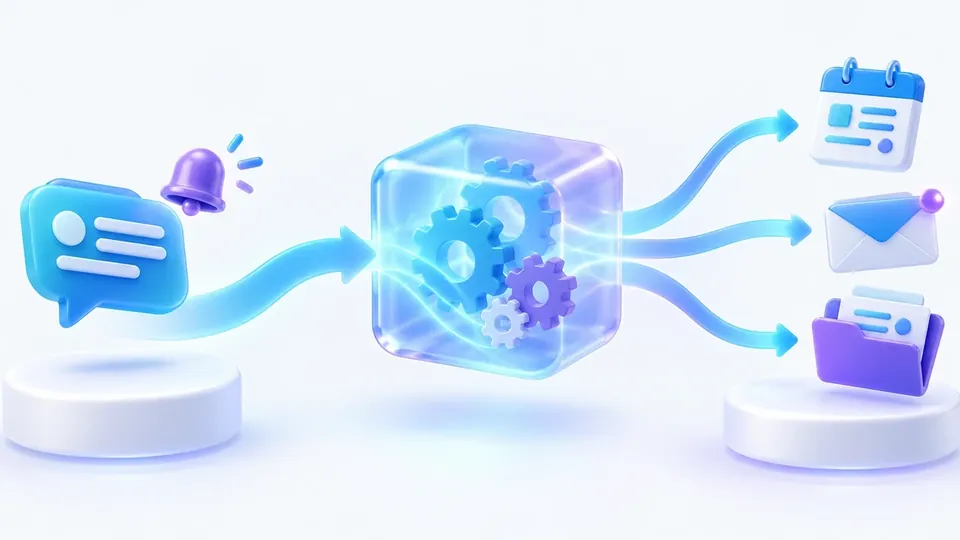
- Every automation has three parts: a trigger, a step that handles what came in, and an action. AI is only needed in the middle step, when the input is free text, a photo or a review.
- Reminders, abandoned cart emails and payment alerts run on rules. Answering questions, drafting emails and replying to reviews need AI.
- Each automation needs something in place first: one calendar, a current price list, a clean catalog, a verified Google Business Profile.
- At PIXON, each automation has a published one-time and monthly price, starting from €300 plus €25 per month for the AI chat.
What is AI automation for a small business?
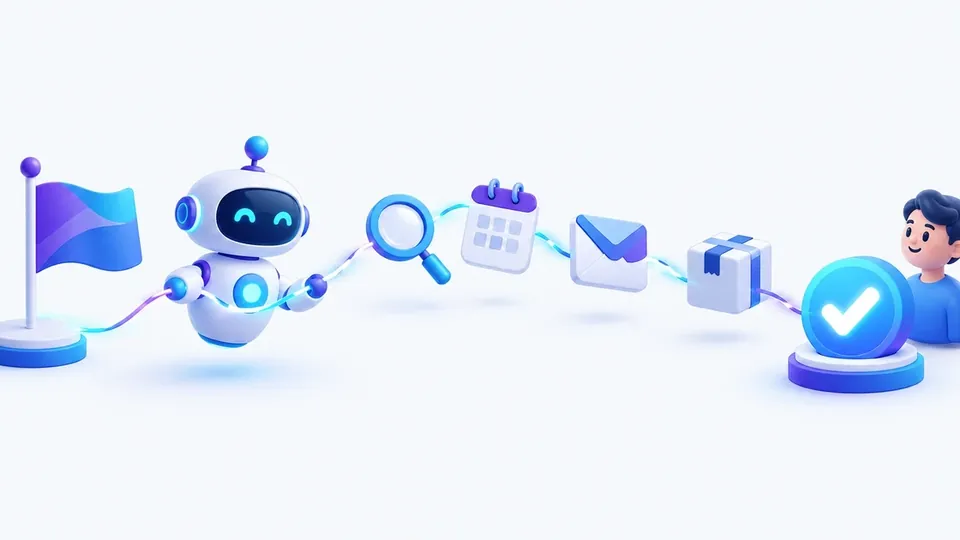
Automation means a program does a task you repeat the same way, as soon as a trigger happens: a message on your website, a new order, an email with an attachment, a new review, a time on the clock. The program handles what came in and acts: it sends a reply, books a slot, files a document or alerts you. You can describe any automation in one sentence: "when A happens, do B and tell C."
A quick test helps you decide what is worth it. Do you do the task more than ten times a week? Do you do it almost the same way each time? Do you lose a customer or money when you are slow? Three yes answers make it a good candidate. "How much is it?" passes the test. Negotiating with a difficult client does not, and should not.
Adoption is still low, even in larger firms. In 2025, Eurostat reported that 20.0% of EU enterprises with 10 or more employees used AI, up from 13.5% in 2024. The most common use was analyzing written language, which is exactly what a small business automation does with customer messages.
When do you need AI, and when is a simple rule enough?
The difference sits in the middle step. A rule-based automation follows instructions without reading anything: "if the form says appointment, send email A, otherwise email B." It is cheap, fast and predictable.
AI is needed when the input has no boxes to tick. A customer writes "do you have a gift around 50 euros that arrives by Friday?" A language model works out the product, budget and date, looks in your catalog and writes a reply. The same goes for a photographed invoice or a review that needs an answer in your tone.
A good AI automation answers from your information: price list, hours, services, catalog, policies. When the answer is not there, it hands over to you instead of guessing.
If a task needs the software to choose different steps depending on the case, rather than follow one flow, you are in the territory of AI agents. We explain where that line falls in AI agents vs chatbots.
Which 12 tasks can a small business automate?
The table lists each automation, whether it really needs AI, what has to exist before it can work, and what PIXON charges for it as a ready feature. Prices are one-time setup plus a fixed monthly price. Reminders and alerts go out by email, not SMS.
| Automation | What it does | AI or rule? | What it needs first | PIXON price |
|---|---|---|---|---|
| 1. Answers to common questions | Answers "how much", "are you open", "where are you" on your website, day and night, asks for an email or mobile number and hands over to you when it does not know | AI | Your prices, hours and services written down | €300 once + from €25/month for 300 messages |
| 2. Appointment booking | Reads "anything Tuesday after 5?", checks free slots, offers times and books the one the customer picks | AI for the message, rules for the booking | One calendar where every appointment lives | €250 + €25/month |
| 3. Appointment reminder | Emails the customer 24 hours before | Rule | Appointments in that calendar, with an email address | €100 + €10/month |
| 4. Email sorting and draft replies | Sorts new email by type and drafts answers to routine requests for you to send or edit | AI | A decision on which types may go out without your approval | €250 + €40/month, up to 300 emails |
| 5. Invoice and receipt filing | Reads invoices and receipts from email, renames them and files them in monthly folders for your accountant | AI for reading, rules for filing | One inbox for invoices and a cloud folder | €200 + €15/month |
| 6. Order status | Answers "where is my order?" in the chat from the order and shipment status | AI for the message | Tracking numbers stored in each order | €150 + €10/month |
| 7. Payment reminders | Alerts before subscriptions, contracts or yearly services are due | Rule | Due dates written somewhere the system can read | €150 + €10/month |
| 8. Instant reply and follow-up | Replies to a new inquiry within 1 minute with a personal answer, then reminds you after 2 and 7 days if nobody replied | AI for the reply, rule for the reminders | A form that asks the right questions | €100 + €15/month, plus €80 + €5/month |
| 9. Abandoned cart | Emails the shopper 1 hour after a purchase is left unfinished | Rule | The email address collected before payment | €150 + €15/month |
| 10. Product assistant | Answers about products, prices and stock from your shop catalog | AI | A catalog that is kept current | €300 + €30/month |
| 11. Reviews | Asks each customer for a Google review, drafts replies you approve, alerts you at once to 1 and 2 star reviews | Rule for requests, AI for replies | A verified Google Business Profile that you own | Request €100 + €10/month; replies €100 + €15/month; alert €50 + €5/month |
| 12. Weekly report | Every Monday: new leads, open items and reviews in one summary | AI for the summary | Data in systems, not in paper notebooks | €100 + €15/month |
Social publishing (€200 + €20/month) posts approved content to Instagram, Facebook and Google Business Profile, but only helps once you know your own tone. On abandoned carts, the Baymard Institute's average of 50 studies puts online cart abandonment at about 70%, and a reminder email costs you no time once it runs.
Where should each type of business start?
The best first automation depends on how customers reach you.
- Clinics, therapists, salons, driving schools: booking (2) with a reminder (3), then common questions (1), then review requests (11). In health care, the automation handles practical questions only, never medical ones.
- Online shops: order status (6) and the product assistant (10) cover the most frequent questions. Then abandoned cart (9), which needs none of your time. If you are still building the shop, our ecommerce website packages are built so these can connect to the catalog.
- Restaurants, cafés, local stores: common questions in messages (1), then reviews (11), then social publishing.
- Accountants, lawyers, trades, B2B firms: email sorting and drafts (4), then invoice filing (5) and payment reminders (7), then instant replies to quote requests (8).
- Freelancers and one-person businesses: one automation, not three. Instant reply (8) or the chat (1) if clients come through forms, booking (2) if you work by appointment.
How do you work out if an automation is worth it?
Do not trust anyone's "saves 10 hours a week", including ours. Use your own numbers with one formula:
Hours saved per week = (times per week × minutes saved each time) ÷ 60, minus the hours you will now spend checking.
The last part is the one people forget. Automation leaves you with review work, which is smaller but real.
A worked example with sample numbers: you answer 60 customer questions a week at 6 minutes each. With a chat that answers the routine ones, your part drops to about 1 minute on average. That is 60 × 5 = 300 minutes, or 5 hours. Take off 1 hour a week for reading conversations and correcting your information, and the net is 4 hours a week from one task.
If your result is under 2 hours a week, the automation is probably not worth it yet, unless the real problem is customers you lose by replying late in the evening or at weekends.

What does AI automation cost?
Any automation has four costs, and a quote should say which it includes. Setup covers connecting tools, recording information and testing. Then there is a monthly fee for the service, AI usage per message or document, and upkeep when your prices or hours change.
At PIXON these four become two numbers: a one-time setup and a fixed monthly price that includes the service, AI usage up to a set limit and one round of data updates per month. You never pay per token. The base is the AI chat on your website at €300 one-time, with message plans from €25 per month for 300 messages. Every other automation is added on top, one at a time, at the prices in the table. Setup of the base chat takes 5 to 7 working days, and there is no contract or minimum term.
Message plans start at 300 messages for €25 per month. Three complete sample setups, with their one-time and monthly totals, are on our AI chatbot page, where you can also build your own setup in the calculator.
Prices exclude VAT. Whether VAT applies depends on where your business is based, and your quote states it clearly.
How do you roll out your first automation in 30 days?
Start with one task. Thirty days is enough to set up and judge one task, not three.
- Measure
Each time you do a repetitive task, log what it was and how many minutes it took.
Days 1 to 7 - Choose
Pick the task with the most hours that passes the three-question test, and write in one sentence what you want, for example "when someone asks for an appointment, offer free times and book it."
Days 8 to 10 - Set up
Gather prices, hours, services, answers to frequent questions and access to the calendar or shop. This takes more of your time than the technology.
Days 11 to 17 - Test with real cases
Keep the same log. When an answer is wrong, the cause is usually missing information, so fix the information.
Days 18 to 28 - Decide
Compare week one with week four. If the gain is clear, keep it and pick the next task. If not, stop.
Days 29 and 30
What should you not automate?
Three kinds of work stay with a person. Anything that needs judgment: discounts, a serious complaint, negotiation, medical or legal advice. Anything rare: a task done twice a month costs more to set up than it saves. And anything without data behind it: if the price list lives in your head, the system has nothing to answer from.
Common mistakes are automating everything at once, not measuring, outdated information and no way to reach a person. On data and the law, a few rules apply wherever you are. Use business versions of AI services that commit not to train their models on your data. Say in your privacy policy that you use AI, what you keep and for how long. Tell people they are talking to an AI. For customers in the EU, the European Commission explains that under the AI Act people should know when they interact with a chatbot. These transparency rules have applied since August 2026. Keep health data and card numbers away from AI entirely.
Common questions
What is AI automation for a small business, in plain words?
It means a piece of software does a task you repeat the same way every week, as soon as something happens: a message arrives, a booking is made, an invoice lands in your inbox. The AI part reads text written in people's own words, finds the answer in your business information and writes or sorts something. Tasks with fixed inputs, like a reminder the day before an appointment, only need a simple rule.
Which task should I automate first?
The one you repeat most often and that loses you customers when you are slow. For businesses that work by appointment, that is usually booking. For online shops, questions about orders and products. For restaurants and stores, the same questions in messages and reviews. For offices, email and incoming invoices. Measure it for one week before you decide.
How much does AI automation cost a small business?
The cost has four parts: setup, a monthly fee for the service that runs it, the AI usage itself and keeping your information up to date. At PIXON these become two numbers. The AI chat on your website is €300 one-time plus from €25 per month for 300 messages, and each extra automation has its own price, for example appointment booking at €250 one-time plus €25 per month. Prices exclude VAT. Whether VAT applies depends on where your business is based, and your quote states it clearly.
Can AI automation work with the tools I already use?
In most cases, yes. Automations connect the tools you have rather than replace them: Google Calendar for appointments, your email for replies, your shop catalog for products and orders, your Google Business Profile for reviews. If a tool has no way to connect, the usual fix is a small change in the flow, such as sending an email to the right person instead of writing directly into that tool.
Is it safe to let AI handle customer data?
It can be, with a few rules. Use business versions of AI services, say in your privacy policy that you use AI and what you keep, tell people when they are talking to an AI, and keep health data, card numbers and anything that needs judgment away from it. A person should always be one click away.