What does an online shop cost in the first year?
The package price covers design, development, setup and training. It is the largest cost, but it is not the only one. A fair comparison between quotes adds up everything you will pay in the first twelve months, including the costs that go to other companies.
| Cost | Who you pay | Price |
|---|
| Shop design and build | PIXON, once | From €1,500, €2,200, €3,500 or €5,000 |
|---|
| Adding your products | PIXON, once (optional) | €3 per product, minimum €60 |
|---|
| Product descriptions | PIXON, once (optional) | €8 per description, minimum 10 |
|---|
| Maintenance (E-Commerce Care) | PIXON, yearly (optional) | From €100 per month, billed yearly (from €1,200 per year) |
|---|
| Hosting | PIXON (optional) or any hosting provider | €150 per year with PIXON |
|---|
| Domain | Your registrar | Set by the registrar |
|---|
| Payment processing | Your payment provider | A fee on each transaction, set by the provider |
|---|
| Paid extensions, if needed | The extension's developer | Usually a yearly license, listed in your quote |
|---|
| Platform subscription | Nobody | €0, WooCommerce is open source |
|---|
A worked example: a Basic E-Shop with 40 products, where we add all 40 and write 15 product descriptions, costs €1,500 + €120 + €120 = €1,740 once, before VAT. After that, your fixed costs are hosting and the domain, plus maintenance if you choose it. Payment fees grow only when your sales grow.
Why we build on WooCommerce, not a subscription platform
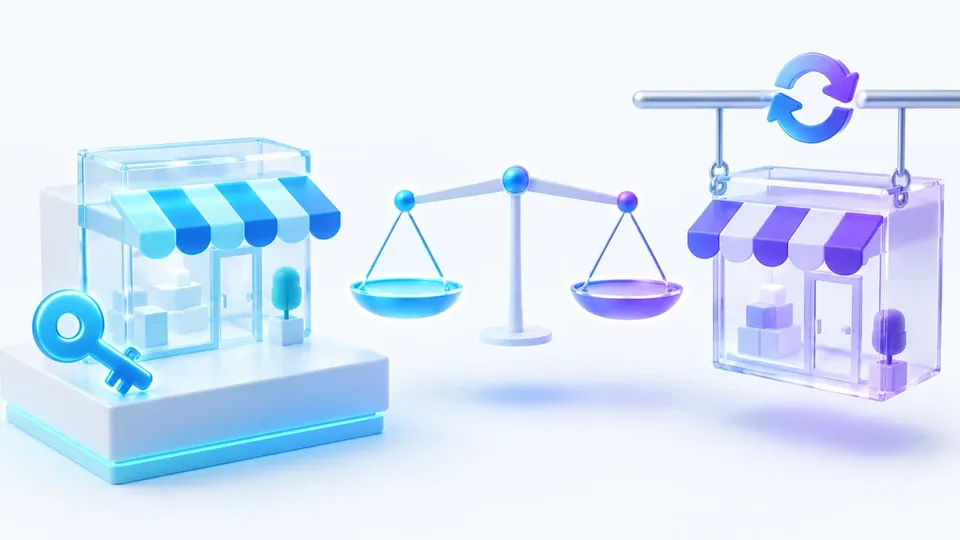
We build on WooCommerce, the free, open-source shop system that runs on WordPress. Subscription platforms such as Shopify are good products too, and the right choice depends on how you want to run the shop. This table shows the differences.
| WooCommerce (what we build) | Subscription platform |
|---|
| Monthly platform fee | None | Yes, plus monthly fees for many apps |
|---|
| Fee on your sales | Only your payment provider's fee | Payment fees, and on some platforms an extra fee if you use an outside payment provider |
|---|
| Ownership | You own the code, the data and the design, and can move host at any time | You rent the platform; leaving usually means rebuilding the theme |
|---|
| Hosting, security, updates | Your responsibility, or ours with a maintenance plan | Handled by the platform |
|---|
| Custom features and integrations | Almost anything can be built | Limited to what the platform and its apps allow |
|---|
| Starting alone, without a developer | Harder | Easier |
|---|
WooCommerce costs more effort to look after, and less money to run as you grow. A subscription platform is simpler to look after, and the monthly costs rise with every app you add. If a hosted platform fits your situation better, we will tell you so in our reply instead of selling you a build you do not need.
Who adds the products, and what does it cost?
You can add the products yourself. Every shop includes training, and adding a product in WooCommerce takes a few minutes once you have the photos and the text ready. For a small catalog, many owners do it themselves.
If you prefer that we do it, product upload costs €3 per product, with a minimum of €60. We enter the title, description, photos, price, category and variations from your spreadsheet or your supplier's catalog. A product with variations, such as one T-shirt in five sizes, counts as one product. So 40 products cost €120, and 150 products cost €450.
If you do not have product descriptions, we write them for €8 each, 60 to 100 words per product, with a minimum of 10 descriptions. Good descriptions help shoppers decide and help search engines understand what you sell.
Both services run together with the shop build, so the products are in place on launch day.
Which payments and shipping options can the shop handle?
Payments. WooCommerce works with most major card payment providers and with PayPal. We have set up shops with Stripe and PayPal, card payments, bank transfer and cash on delivery. You open the account with your payment provider, because the money goes straight to you, and we connect it to the shop and place test orders before launch. The checkout runs over SSL, and card details are handled by the payment provider, not stored in your shop.
Shipping. Every package sets up shipping zones and rates for the carriers you use: flat rates, free shipping above an order amount, and different rates per country or region. Advanced and higher packages add shipping and ERP integration, so stock and orders stay in sync. Automatic labels and tracking depend on whether your carrier offers a connection to WooCommerce, so your quote lists exactly which carriers will be connected.
If you sell across borders, the Advanced package adds multiple languages and currencies, so shoppers see the shop in their language and prices in their currency.
How long does it take, and what do you need to prepare?
Each package has a delivery window in working days: 14 to 21 for Basic, 21 to 28 for Advanced and 30 to 40 for Pro. Enterprise timelines are set in the written study. The count starts when we have your content, so the fastest projects are the ones that arrive prepared.
Before we start, you need:
- Your logo and brand colors.
- Your product list in a spreadsheet: names, prices, categories, variations and stock.
- Product photos, ideally on a plain background and in the same size.
- Your shipping rules and the countries you ship to.
- An account with your payment provider.
- Your shop policies: returns, shipping and privacy.
The project runs in four steps, online and in English: catalog and strategy, store design with a full preview for your approval, build and integrations, then testing, launch and training. Before launch we test the full buying flow on phones, tablets and desktops: cart, payment, confirmation email and order handling.